
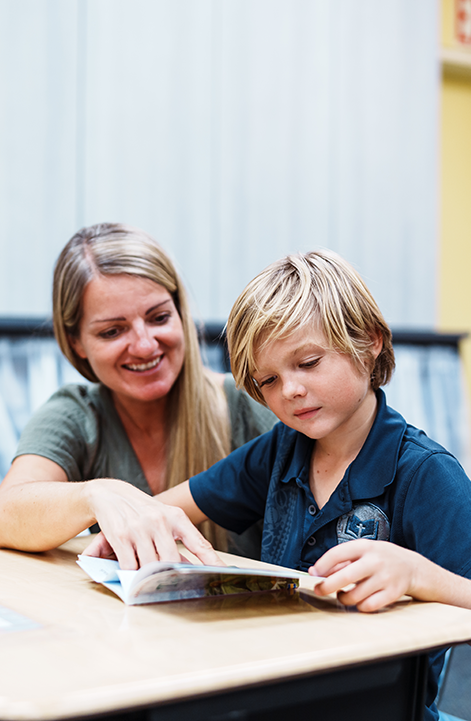
Hands-on activities that address dyslexia
Therapeutic activities that address dyslexia symptoms
In addition to computer interventions, it’s important to use offline, hands-on strategies to reinforce skills and provide variety. Below is a short list of 3–4 effective hands-on activities or therapeutic games for each dyslexia symptom category:
Phonological decoding
- Phoneme Bingo: Create bingo cards with pictures or words. Call out a sound (“/a/”) or a word, and the child covers a picture that starts with that sound. This trains phonemic awareness in a fun group game.
- Sound Tapping and Segmenting: Have the child clap or tap out the sounds in a word using tokens (e.g., for “cat” they tap three times for /c/ /a/ /t/). This kinesthetic approach reinforces the segmentation of sounds which underlies decoding.
- Letter-Sound Treasure Hunt: Hide letter cards around a room. When the child finds a letter, they have to say its sound (or a word starting with it) to “claim the treasure.” This merges movement (to engage) with phonics practice, engaging multiple senses like computer games do.
- Rhyme Matching Game: Prepare pairs of picture cards that rhyme (like a cat and a hat, a star and a car). Spread them out and play a memory matching game. The child says the words and identifies the rhyming pairs, practicing phonological awareness through rhymes.
Slow reading fluency
- Repeated Reading with Timing: Choose a short passage and have the child read it aloud multiple times (3–5 times), using a timer to record each try. They see their time improve, which is motivating. The repetition builds speed and confidence with those words, which can carry over to new text. This is analogous to leveling up in a game by beating one’s high score.
- Choral Reading: Read aloud together with the child (in unison). Your quicker pace and phrasing will naturally pull them slightly faster and smoother. It models fluent reading and takes the pressure off since they are not alone. Over time, drop your volume and let them take over.
- Phrased Reading on Notecards: Write phrases or short sentences on strips of paper (e.g., “on the boat”, “in the sky”). Have the child practice reading these as whole units, maybe with a slight pause between strips. This trains the eyes to take in multiple words at once (like the chunking computer activity). You can make it a game by sorting the strips to form a silly story, keeping it light.
- Metronome or Rhythm Reading: Use a metronome or clap a steady beat and have the child read so that one syllable or word lands on each beat. Start slow, then gradually increase the tempo. This external rhythm can pace their reading and push them towards a more fluent rate, much like a guided pacing software.
Poor spelling (orthographic memory)
- Multisensory Spelling Practice (“Sky Writing” and Sand Tray): Have the child say each letter aloud while writing it in the air with big arm motions (“sky writing”) and then again with finger in a tray of sand or shaving cream. The large visual gesture plus tactile feedback reinforces the letter sequence in memory. This is a classic Orton-Gillingham technique to build strong mental images of words.
- Word Construction with Manipulatives: Use letter magnets or tiles to build words on a metallic board. Say a word, and let the child arrange the letters. Because the child sees and handles the letters, it engages visual-memory and kinesthetic memory for spelling. If they make a mistake, physically rearranging the letters is a learning moment. Make it playful by building crossword patterns or using a Scrabble-like scoring for each word formed.
- Spelling Memory Game: Similar to the digital version, write pairs of words on cards – one card with the word spelled correctly, one with a common misspelling (e.g., “friend” vs “freind”). Mix several such pairs face down. The child flips two at a time, trying to find the exact match of correct-correct. They must visually inspect spelling to match them. This exposes them to common tricky words and their visual spellings. You can include only one correct version among many distractors to increase challenge.
- Dictation with Immediate Review: Read a short sentence aloud and have the child write it. Immediately after, both of you check each word against the correct version, and the child rewrites any misspelled word correctly. This immediate feedback is important. It’s low-tech but effective: it mimics what spelling software does, training the brain by correcting errors right away.
Letter reversals / Visual discrimination issues
- Tactile Letter Differentiation: Use pairs of wooden or plastic letters that the child can feel. Have them close their eyes and hand them either a “b” or “d” (or other confusing pair). Ask them to identify it by touch, then open eyes to check. This tactile emphasis can cement the differences (for instance, feeling that b has a line on the left and d on the right). Pair this with verbal cues (“b points to the right, d to the left”).
- Directional Arrow Drills: Many kids who reverse letters benefit from general directional training. Play games that involve directionality: e.g., a Simon Says variant – Simon says point left, point up, etc., or do a chalk maze on the ground they have to follow arrows through. Strengthening the brain’s processing of left vs right can translate to better letter orientation discrimination.
- B/D/P/Q Art: Turn learning into an art project. For each of these letters, have the child draw a picture incorporating the letter that emphasizes its shape (for example, draw a b as a butterfly with the circular part as the wing, and a d as a doorknob on a door). Hang these on the wall. The distinct visual association for each letter helps the child recall orientation. Later, if they’re unsure, they can recall “butterfly b faces this way” as a mnemonic.
Slow naming / working memory deficits
- Rapid Naming Drills (with a Twist): Create a stack of picture cards (common objects, colors, or letters). Time the child as they name each card in the stack as fast as possible. Repeat to see if they can beat their time. To gamify it, intersperse a few silly cards (like a funny face) that they have to skip or do an action (e.g., clap) instead of naming – this keeps it fun and works on cognitive flexibility as well.
- Category Race: Pick a category (animals, food, sports) and have the child and others take turns quickly naming an example (no repeats allowed). Go in rapid circle – if someone pauses too long, the round ends. This can be done one-on-one too, alternating between you and the child. It encourages rapid word retrieval under a bit of pressure, gradually training faster recall. Start with easy familiar categories to guarantee success and speed.
- Memory Sequence Games: Play “I went to the market and bought… [each person adds an item].” The child must recall a growing list of spoken items – this taxes working memory. Make it visual by also using picture cards of the items; lay them down as they are said, then shuffle one random card out of sequence and have the child reorder correctly. This trains both auditory memory and visual memory. Over repeated play, you can observe improvements in how many items they can hold in mind. Such improvements in memory span can translate into better ability to hold multiple letters or words in mind while reading and writing.
- Visual Chunking Puzzles: Show a busy scene picture (like “Where’s Waldo” style or a cluttered room illustration) for 5 seconds, then hide it and ask the child to name 5 things they remember seeing. This game makes a visual snapshot memory a challenge. It exercises the ability to take in a lot of visual info quickly and recall it – akin to visual working memory. The skill of quickly extracting details can help with reading (taking in several letters/words at once) and even spelling (visualizing the whole word).
Summary
Each of these hands-on strategies complements the digital interventions by engaging the child in a physical or social way. They are often used by therapists and educators because they encourage generalization of skills – making sure the improvements seen on the computer also show up in real-world activities.
By combining BrightWay Kids computerized activities with these real-world games and exercises, we ensure a robust intervention plan that addresses dyslexia and dysgraphia symptoms from all angles, keeping the child interested and actively learning. The ultimate goal is to strengthen the neural pathways for reading and writing through whatever modality works best for the child – and often, the synergy of high-tech and low-tech does best of all.
Learn more about dyslexia
Research center
Root Causes of Dyslexia
Understanding the origins of dyslexia.
Dyslexia and Visual Processing
The connection between poor reading and writing.
Dyslexia and Dysgraphia
How visual skills affect handwriting.
Dyslexia: Effective Online Strategies
Tech tools that address core brain systems.
Digital Games for Dyslexia
Can games really help with dyslexia?
Dyslexia Symptoms
Signs your child may be struggling.