
Poor Reading: A Deep Dive
Effective computer intervention strategies for dyslexia
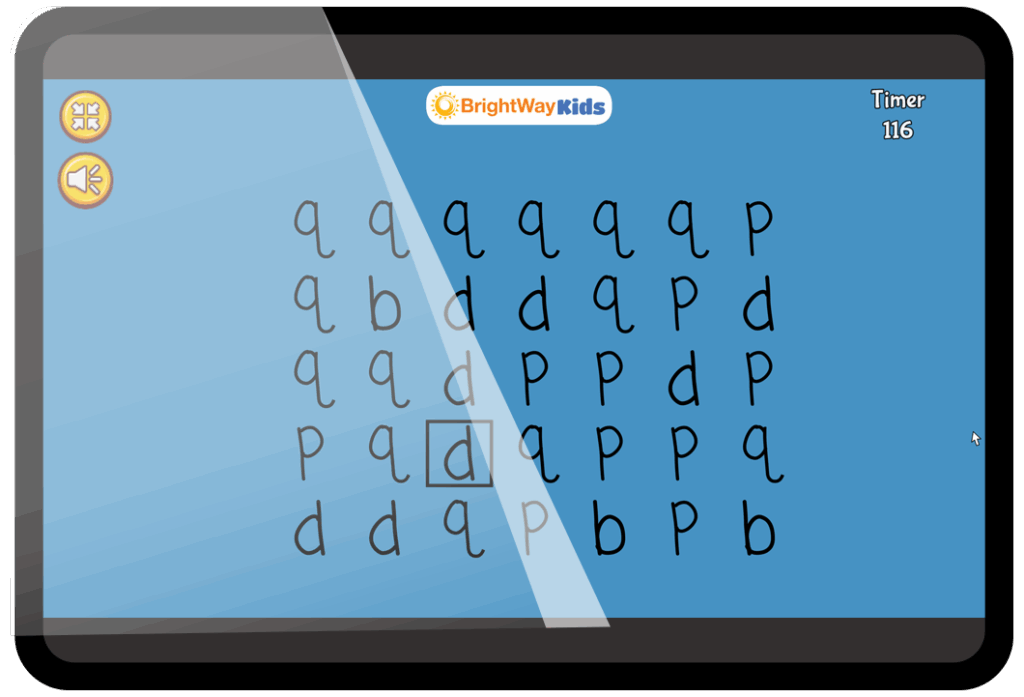
Dyslexia and digital games
Computer-based interventions have opened new avenues for helping children with dyslexia and dysgraphia by harnessing interactive and visual learning methods. Many of these tools explicitly engage our “visual brain” – the visual processing and visual learning capabilities – to improve reading and writing skills. Here are several effective computer intervention strategies and how they leverage visual strengths:
Visual-attentional training games
Digital programs can train a child’s visual attention span (the number of letters or symbols one can take in at a glance) and visual search skills. For example, a game might flash a sequence of letters and ask the child to identify a target letter, gradually increasing the number of letters shown. Such training engages the visual brain by strengthening the neural networks for rapid visual processing.
Why it works: Research shows that a short course of visual-attentional training can improve reading speed in dyslexic children by enhancing their eye movement control and attention on text. Essentially, these games train the brain to capture more visual information in each eye fixation, which translates to more efficient reading.
Eye tracking and oculomotor exercises
Some interventions use an eye-tracker or simulate eye movements in games to improve how the eyes move during reading. For instance, exercises might have the child follow a moving object or target on the screen (to train smooth pursuit eye movements) or make quick “jumps” (saccades) to new targets. These directly exercise the visual-motor coordination needed for reading. Why it works: Dyslexic readers often have unstable or inefficient eye movements (many regressions or erratic saccades). Studies using 10-minute daily oculomotor training (e.g. practicing guided eye movements) found that dyslexic children significantly improved reading fluency and reduced fixation times. By practicing visual tracking on a screen, children can retrain their visual system to move more systematically across text. This also benefits handwriting, as the eyes better guide the hand.
Gamified visual perception training
Computer “serious games” can make traditional visual perceptual drills fun and engaging. For example, a game might involve quickly matching shapes or letters, finding differences in patterns, or navigating a maze – all of which train visual discrimination, form constancy, and spatial skills. One study gamified standard visual perception tests and had children play them while measuring eye movements. The game environment kept children motivated and collected data on their visual processing.
Why it works: These games exercise the brain’s visual processing pathways in a consistent, repetitive way, but in an entertaining format. Over time, improved visual perceptual skills can transfer to better letter recognition and fewer letter reversals. Early research is promising: a gamified visual perception and eye-tracking tool accurately predicted handwriting difficulties and showed potential for strengthening visual skills to preempt dysgraphia.
Multisensory reading software (with visual emphasis)
Many computer interventions for dyslexia incorporate multimedia – for instance, showing a letter on screen (visual) while playing its sound (auditory) and maybe having the child trace it on a touch screen (kinesthetic). Examples include apps that teach phonics with animated letters or colored overlays highlighting phonetic patterns. The Orton-Gillingham approach (a gold-standard multisensory method) has been adapted into software that uses visual cues (like color-coding for vowels) to reinforce learning. Why it works: The computer can simultaneously present information in visual form and auditory form, strengthening the linkage in the brain. Visual cues like pictures for words or color highlighting help dyslexic learners form mental images and associations, engaging memory. By emphasizing sight (what a word looks like) along with sound, these programs build the neural connections for reading and spelling in a way that taps into visual memory – a relative strength for many learners.
Adaptive brain-training programs
A number of cognitive training software packages target underlying skills such as working memory, processing speed, and sequencing – all through visual games. For instance, a program might use a visual working memory game (like remembering locations of items on the screen) to stretch the user’s memory capacity. Another might use a rapid visual categorization game to improve processing speed. While not reading-specific, these cognitive games address deficits that often underlie dyslexia/dysgraphia.
Why it works: Improving working memory and speed via visual brain training can indirectly enhance reading and writing performance. When a child can hold more letters or words in mind (thanks to memory training), they decode and spell with less strain. Faster visual processing means they can scan text more efficiently. These general gains create a stronger foundation for academic skills.
Typing and word-processing tools
Teaching touch-typing on a computer is a common intervention for dysgraphia. It leverages the child’s visual pattern learning – the keyboard visually maps out letters in a fixed pattern, and with practice, typing can become more fluent than handwriting for some dysgraphic individuals. Additionally, using word processors with spell-check or speech-to-text can bypass some handwriting challenges. Why it works: Typing removes the fine-motor demand of forming letters, but still reinforces letter sequencing and spelling through a visual-modal (seeing the letters on keys and screen). It often boosts writing productivity for dysgraphic students. While not a cure, it is an effective compensatory strategy that allows the visual brain to assist written expression (the student sees their text and can more easily spot mistakes or reorganize sentences with cut/paste – a very visual process).
Summary
All these computer-based strategies harness interactive visuals, repetition, and immediate feedback, which are powerful for neuroplastic learning. Unlike static worksheets, software can adapt to the user’s level – e.g., increasing difficulty when the child is succeeding, or providing more visual cues if the child is struggling. This keeps the training in the optimal zone of challenge. Moreover, the engaging nature of computer games (points, animations, rewards) sustains motivation and focus, which is particularly beneficial for kids who may otherwise disengage due to repeated failures in traditional reading tasks.
Next up: Why it works
The science behind digital learning
Want to know why game-based interventions help with dyslexia? Up next, we look at the brain science behind digital learning—and why it clicks with so many kids.